Your First Wedding DJ Gig – What to Expect and How to Prepare
by Jay Sandwich
Around 2.5 million weddings take place in the United States every year, and nearly every single one of them needs a DJ. If you've been asking yourself how to start a wedding DJ business, you're stepping into one of the most consistent live entertainment markets around. This isn't just about playing music — it's about managing timelines, reading crowds, and delivering memories. This guide walks you through what to expect on your first wedding gig and exactly how to prepare, whether you're a music fan chasing a side income or a working musician looking to branch out.

Wedding DJing sits at the crossroads of technical skill and people management. You need reliable gear, a deep music library, and the ability to stay calm when things go sideways — because at some point, they will. The barrier to entry is lower than most people think. With the right preparation, your first gig can be a genuine success rather than a stressful scramble.
The music gear choices you make early on will shape your workflow for years. Understanding them before you invest is worth every minute. Let's break it all down.
Contents
How to Start a Wedding DJ Business: Your Step-by-Step Launch Guide
Getting your first booking takes more than buying a controller and loading Spotify. You need a plan that covers the business side and the performance side equally. Here's a straightforward roadmap to follow before you take a single paid gig.
Setting Up the Business Side
Many first-timers skip the paperwork and regret it. Get these essentials sorted before you advertise yourself as a professional:
- Register your business name — Even a simple sole proprietorship protects you and looks professional to clients.
- Get a basic DJ service contract — It should cover your fee, deposit requirement, cancellation policy, and exactly what equipment you're providing. Free templates exist through resources like established DJ trade resources and associations.
- Set your pricing — Research what local DJs charge in your market. Most wedding DJs charge between $800 and $2,000 for a full reception, depending on location, experience, and included services.
- Create a simple online presence — A one-page website or active social media profile with a short bio and a few photos of your setup goes a long way with couples who are vetting vendors.
- Get liability insurance — Venues increasingly require proof of it, and it protects you if your gear gets damaged at the event.
If you've explored how freelance musicians handle income and client work, check out this perspective on making a living from music — many of the same principles around licensing, deliverables, and client expectations apply directly to the DJ world.
Building Your Music Library
Your music library is your core product. A wedding crowd spans ages 8 to 80, so you need real range — not just what you personally enjoy listening to.

- Cover the classics: Motown, disco, 80s pop, 90s R&B, and early 2000s crossover hits
- Know current Top 40 — couples often request recent chart songs for younger guests at the reception
- Always use clean (radio edit) versions of every track — no explicit lyrics at a family event, ever
- Use a legal DJ music service like DJ City, BeatPort, or a record pool to keep your library properly licensed and current
- Organize tracks by BPM (beats per minute — the tempo of a song), energy level, and decade so you can pull the right track quickly under pressure
Send every couple a music preference form two to three weeks before their event. Ask for must-plays, do-not-plays, and the exact first dance song. This simple step eliminates hours of guesswork and removes surprises on the night.
The Essential Gear Every Wedding DJ Needs
Gear is where new DJs tend to either overspend or underspend. You don't need the most expensive setup. You need a reliable one that won't fail mid-reception. Here's what actually matters.
Controllers, CDJs, and Turntables
You have three main options for playback, each with real trade-offs depending on your budget and style.
DJ Controllers are all-in-one units that connect to software on your laptop. They're the most affordable starting point and the easiest to learn on — a solid choice for anyone just getting into how to start a wedding DJ business without breaking the bank.
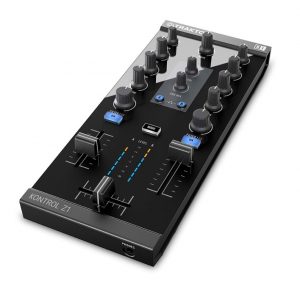
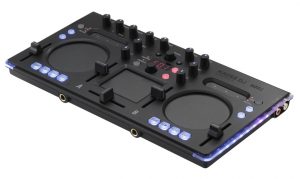
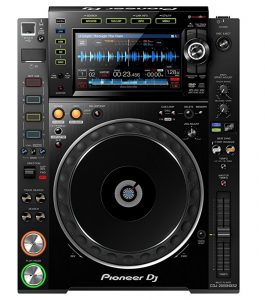
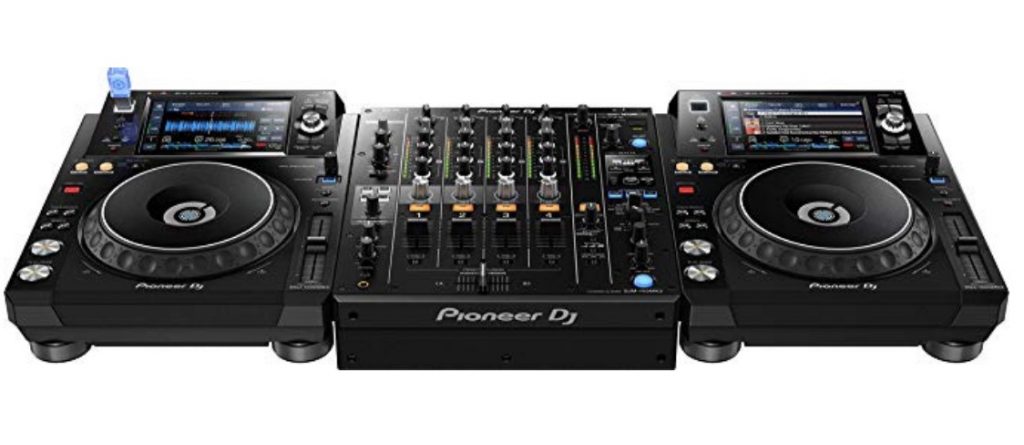
CDJs (professional media players used in clubs and upscale venues) are the industry standard. The Pioneer CDJ-2000NXS2 is what you'll find at most high-end events. They're expensive to buy but often available for rent.
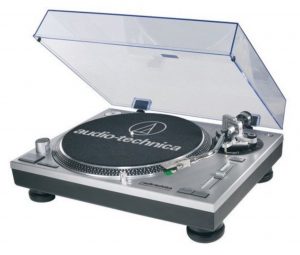
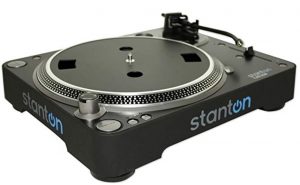
Turntables are the classic vinyl-based option. Some couples specifically request a vinyl setup for a retro aesthetic. The Audio-Technica AT-LP120 is a popular and affordable direct-drive model for beginners, while the Stanton T.92 offers improved torque and stability for live use.
Mixers, Audio Interfaces, and Software
Your audio interface (the hardware that converts your laptop's digital audio into an analog signal your speakers can use) is just as important as the controller itself. Don't buy the cheapest one available.
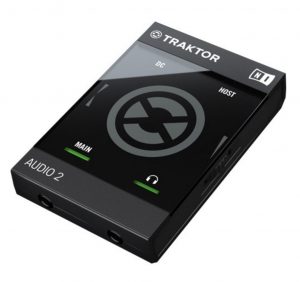
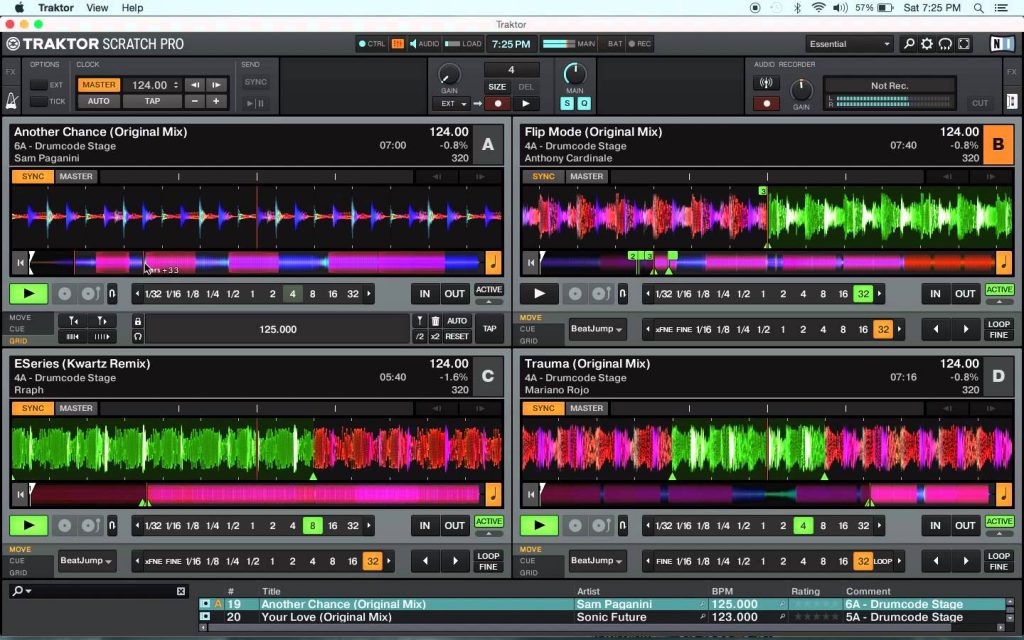
The three most popular DJ software platforms are:
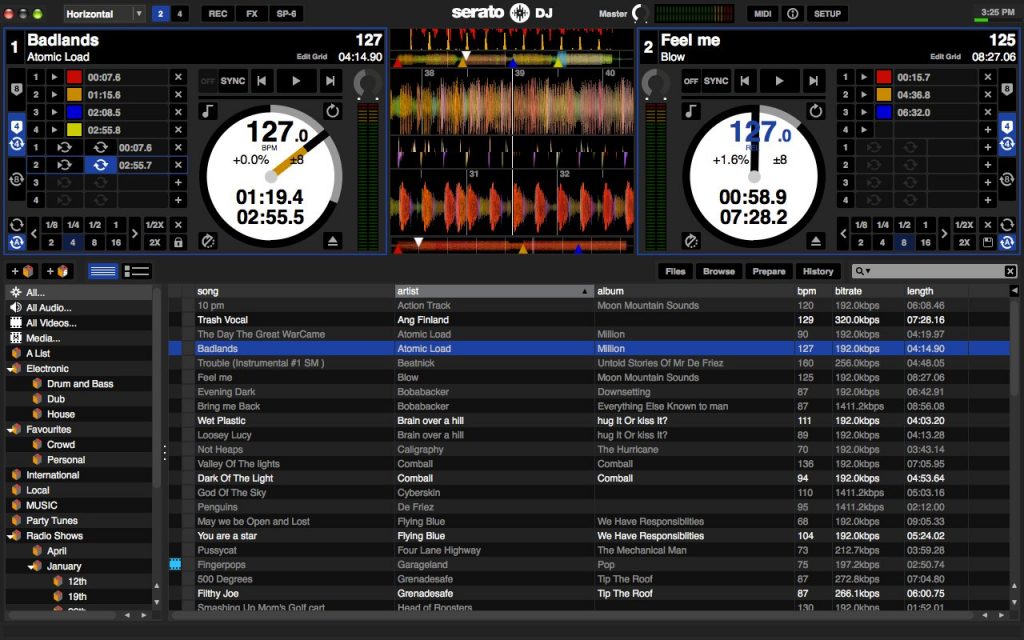
- Serato DJ Pro — The industry standard for most mobile and club DJs. Rock-solid stability and straightforward to learn.
- Native Instruments Traktor — Favored by more technically-minded DJs who want deep customization and effects control.
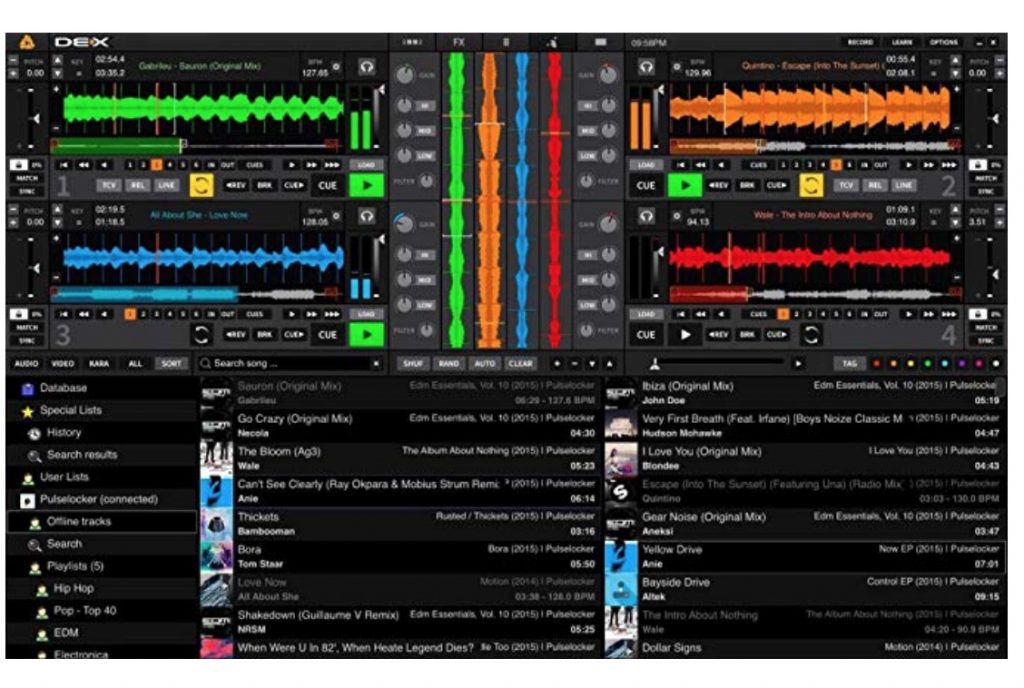
- PCDJ DEX 3 — A budget-friendly option that covers the core functions well without a steep learning curve.
PA Speakers and Monitors
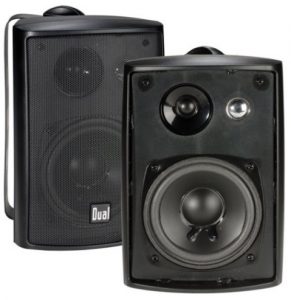
Don't cut corners on speakers. Thin, underpowered audio is the fastest way to kill a dance floor. For a typical wedding reception of 100–200 guests, you need at least two powered PA speakers (speakers with built-in amplifiers) and ideally a subwoofer for bass response.
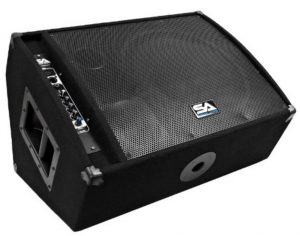
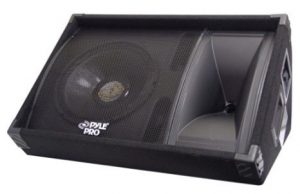
You'll also want a monitor speaker (a smaller speaker pointing at you so you can hear what's cued up next). A basic stage monitor like the PylePro PASC12 works well in mobile DJ setups without a major investment. For more on choosing speakers across different room environments, see our guide to the best speakers for varied setups.
Use this table to match your speaker setup to the event size:
| Guest Count | Recommended Speaker Setup | Minimum Wattage per Speaker | Subwoofer Needed? |
|---|---|---|---|
| Under 75 | 2x 10" or 12" powered PA speakers | 500W | Optional |
| 75–150 | 2x 12" or 15" powered PA speakers | 750W | Recommended |
| 150–300 | 2x 15" powered PA speakers + 1 subwoofer | 1,000W | Yes |
| 300+ | 4x 15" powered PA speakers + 2 subwoofers | 1,000W+ | Yes |
Beginner Wedding DJ vs. Seasoned Pro: Key Differences
There's a real gap between someone doing their first few paid gigs and a DJ with 50+ weddings behind them. Understanding where that gap exists helps you set honest expectations — and charge the right amount from the start.
Skills and Experience
Both beginners and experienced DJs can deliver a great night. But they do it in very different ways:
- Beginners lean on pre-planned playlists. They need more buffer time between transitions. They may over-MC or under-MC — finding the right balance on the microphone takes real practice.
- Experienced DJs can read a room on the fly. They've handled equipment failures in front of crowds. They manage drunk guests, demanding relatives, and blown timelines without losing the dance floor.
The gap isn't really about music taste — it's about confidence under pressure. When a guest trips over your power cable mid-first-dance, how you recover matters more than which controller you're using. Think about what sets the best DJs apart — it's the performance instinct that only comes from repetition. You build that by doing gigs, not by buying better gear.
Gear Investment Levels
You don't need pro-grade gear to start. You need gear that won't fail. Here's a realistic look at three investment levels:
- Budget starter rig ($500–$1,500 total): Entry-level controller (e.g., Pioneer DDJ-400), laptop with Serato or Traktor, two mid-range powered PA speakers, basic cables, and a backup drive
- Mid-range working DJ ($2,000–$5,000 total): Pioneer DDJ-1000 or similar, professional PA speakers, subwoofer, monitor speaker, wireless microphone for MC duties
- Full professional rig ($5,000–$15,000+): Pioneer CDJ-2000NXS2 pair with DJM mixer, high-output PA system, full lighting rig, backup gear for every critical component
Most successful wedding DJs started at the budget tier and reinvested their first few bookings into better equipment. Starting small is fine — as long as what you own is solid and tested.
Pro tip: Always bring backup cables and a spare audio interface to every single gig — the one night you leave them at home is the night your main interface dies between the ceremony and the reception.
When to Accept a Wedding Gig (and When to Pass)
Knowing when to say yes — and when to protect your reputation by saying no — is a skill that takes time to develop. Here's how to think through it clearly.
Signs You're Ready
You're genuinely ready to take a paid wedding gig when you can honestly check off most of these:
- You've practiced mixing live for at least 30–50 total hours
- You can set up and break down your entire rig in under 45 minutes
- Your equipment has been tested at a smaller informal event — a birthday party, backyard gathering, or similar
- You have a signed contract in place and a deposit collected before the event
- You've done a venue walkthrough and confirmed power outlet locations and load-in logistics
- You've had at least one detailed conversation with the couple about their timeline, expectations, and must-play list
If you want experience before taking a paying gig, consider volunteering at smaller local community events first. Our guide on how to book gigs as a musician has practical advice for getting your foot in the door at local venues — much of it translates directly to DJs looking to build a portfolio and client base.
Red Flags to Watch For
Some gigs are worth turning down, especially early in your career. Watch for these warning signs before you commit:
- No deposit offered — Serious clients pay a deposit. No deposit often signals a no-show cancellation with zero notice.
- The client wants you to stream from Spotify or YouTube — These platforms compress audio and are completely unreliable for live performance.
- They're asking for a five-hour full reception for $300 or less — Underpricing trains clients to undervalue your service and sets you up to resent the whole night.
- They can't give you a clear or stable timeline for the evening
- The venue has never hosted a DJ and has no information on power capacity, acoustics, or load-in access
Some couples also ask about karaoke-style setups for wedding afterparties. That's a separate service requiring its own equipment and skills — check out what's actually involved with karaoke setups before you add it to your package.
Troubleshooting Common Wedding DJ Problems
Things go wrong at weddings. Not sometimes — always. The question is only when and how badly. Here are the most common problems and how to address them before they derail the night.
Audio and Technical Failures
- No sound from speakers: Check cable connections first. Then check the gain (the input volume level at the source) on your mixer. Then check the speaker's own power switch. Work through the signal chain from source to speaker, step by step.
- Laptop crash mid-set: This is exactly why you keep a backup USB drive with your full library loaded and ready. A good controller can often sustain output briefly while you reboot.
- Ground loop hum (a constant low buzz in the speakers caused by electrical interference) — Insert a DI box (direct injection box, a device that cleans and balances the audio signal) between your controller output and the PA input to eliminate it.
- Microphone feedback (that painful squeal): Point the mic away from the speakers, reduce mic gain, and increase the distance between the microphone and the PA cabinets.
- No sound in your headphones: Check the headphone gain knob, confirm the cue button is engaged in your software, and swap the cable — cheap headphone cables are among the most common failure points at live events.
Print a troubleshooting checklist and laminate it. Keep it in your gear bag. When you're panicking in front of 150 guests, your memory will fail you. A card with ten clear steps will not.
Reading the Crowd and Managing Requests
A dead dance floor is every wedding DJ's nightmare. When the crowd isn't responding, here's what to try:
- Drop the tempo slightly — sometimes people need a slower, more accessible song before energy starts to build
- Transition to a guaranteed multi-generational crowd-pleaser that most people in the room will recognize
- Use the MC microphone to actively invite guests onto the floor — a direct, friendly callout can break the hesitation faster than any track selection
- Check in quietly with the couple or the wedding coordinator — they often know exactly why certain guests aren't engaging
Request management needs a clear personal policy. You take requests, but you decide whether and when to play them. If someone asks for something wildly off-theme, "I'll see what I can do" is a complete, professional answer. Never argue with a guest about music on the floor — just smile and move on.
Next Steps
- Draft your first DJ service contract today — use a free template from a legal template site, then customize it with your specific pricing, deposit terms, cancellation policy, and equipment list before you advertise a single gig.
- Book a practice run at zero cost — host a house party or volunteer at a friend's informal event so you can run through your full setup, performance, and breakdown under real-world conditions before money is on the line.
- Audit your music library this week — verify every track is a clean edit, correct any missing BPM tags, and build at least three core playlist folders: ceremony, cocktail hour, and reception dance set.
- Introduce yourself to two or three local wedding vendors — venue coordinators, photographers, and caterers are powerful referral sources once they trust your professionalism. A brief, friendly email or in-person introduction is all it takes to start.
- Set a firm introductory rate for your first three bookings — decide the price now, write it down, and plan the higher rate you'll move to once you have reviews and testimonials to back it up.


About Jay Sandwich
Jay Sandwich is a guitarist and modular synthesizer enthusiast whose musical life has taken him from shredding electric guitar to deep-diving the world of modular synthesis and experimental sound design. He brings a player perspective to music gear coverage — practical, opinionated, and grounded in years of actual playing experience across different setups and styles. At YouTubeMusicSucks, he covers guitar gear, rig rundowns, and musician interviews with the candid perspective of someone who has spent serious time on both sides of the instrument.
Check for FREE Gifts. Or latest free acoustic guitars from our shop.
Remove Ad block to reveal all the rewards. Once done, hit a button below